Order Fulfillment
the Virtual Market includes Three methods of order fulfillment:
- Manual - Coordinate pickup or delivery directly with the Shopper, with no intervention from the Virtual Market
- Pickup - Shoppers can choose their pickup point, and will receive notifications when their order is ready to be picked up
- Shipping - Shipping Rates can be set by province, and are charged to the Shopper during Checkout. Tracking numbers / Urls are added to the Order so Shoppers can track their shipments.
Accessing Fulfillment Settings
Open up your settings.
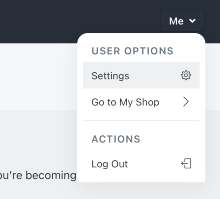
Select either Pickup Settings or Shipping Settings.

Pickup
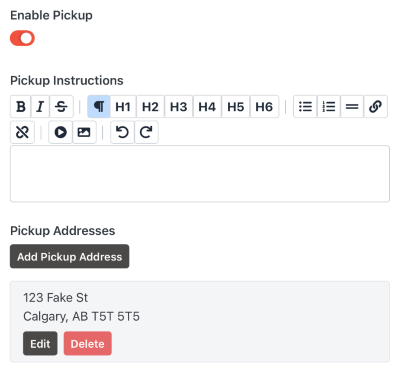
Enabling pickup allows you to set Pickup Instructions, which will be shown to the Shopper during the checkout process. These instructions will also be included on the Ready for Pickup email notification.
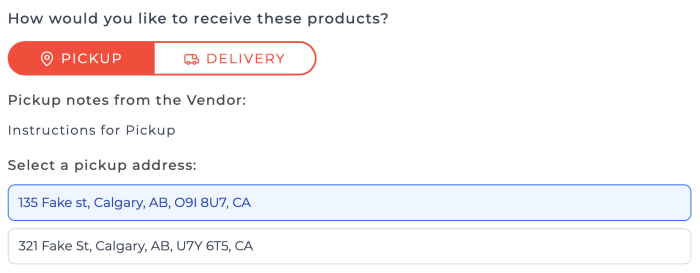
You can also add multiple Pickup Addresses. At least one Pickup Address is required to enable Pickups. If multiple Pickup Address are added, then the Shopper will choose their preferred pickup address on Checkout.
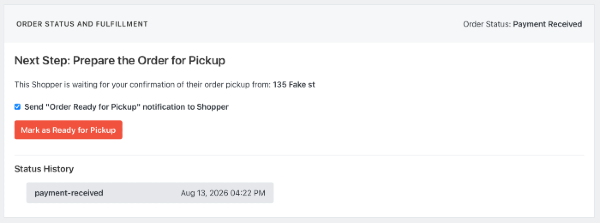
When viewing an Order in your Vendor Admin panel, you will now have an option to mark the order as Ready For Pickup. This gives you the option to send an email notification to the Shopper to let them know the pickup is ready.
Shipping
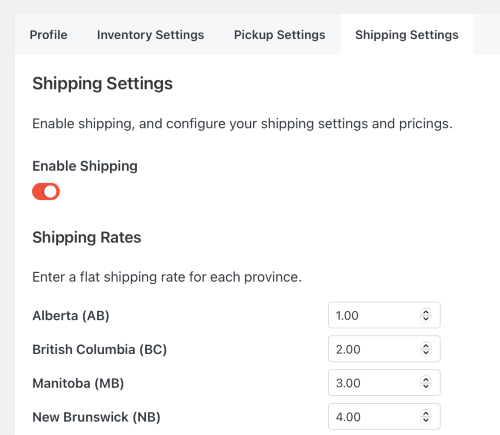
After Enabling Shipping, you can set the Flat Rates to ship to individual Provinces. These rates will automatically apply to a Shopper during checkout, based on their delivery address.
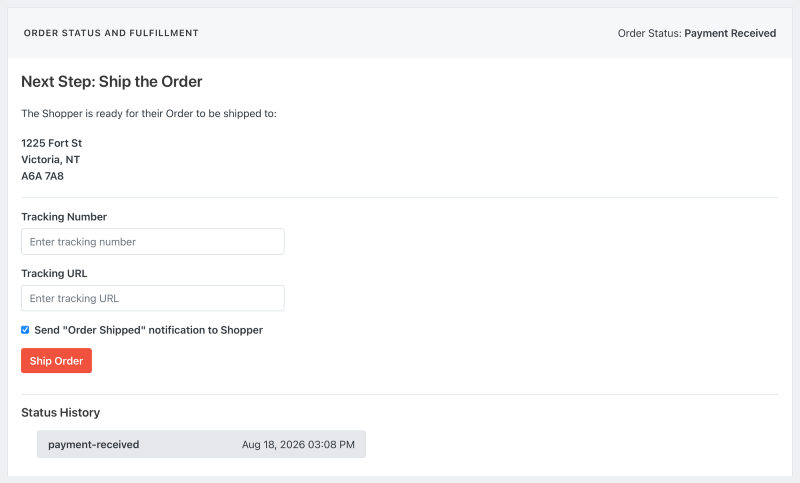
When Viewing an Order where the Shopper has requested shipping, you will now have the option to Ship Order. This requires a Tracking Number and a Tracking URL to be set (which should be received from your chosen shipping provider). Shoppers will be notified that their Order has been shipped, and will receive the tracking URL. They can also find the tracking URL by viewing their Order History in the Virtual Market.